


Plan and elevation configurators
Turn base plans, elevations, structural assumptions, room layouts, exterior packages, and lot-specific constraints into guided self-service configuration flows.
ArchiLabs helps production and semi-custom homebuilders turn plans, elevations, and nested option packages into self-service 3D CPQ workflows with real-time validation, automated quoting, and construction-ready drawing outputs.
House configurator demo
Use a configurator experience to change dormer count, roof pitch, siding colors, roof colors, and other options while the house regenerates.
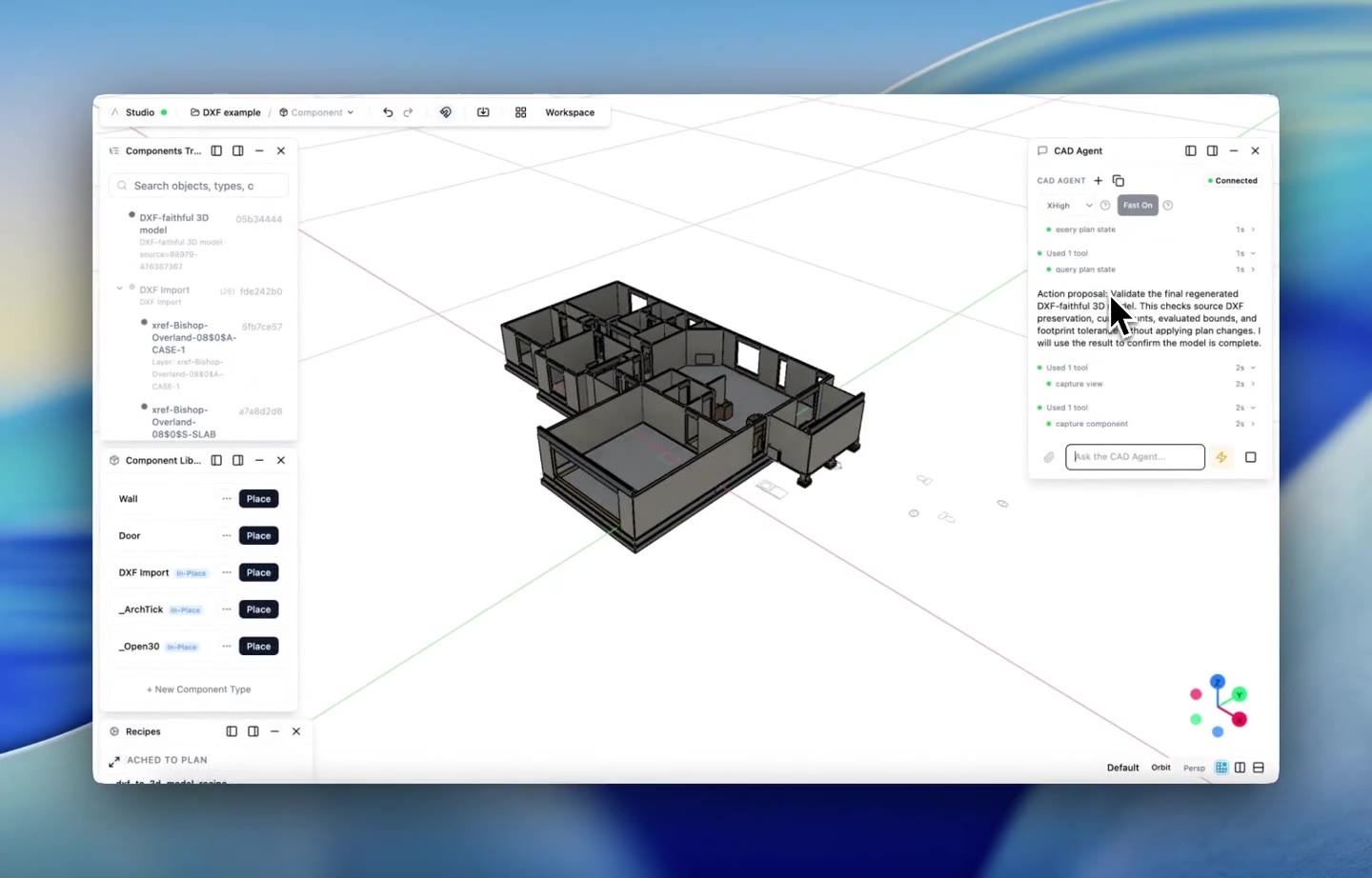
DXF to 3D demo
Watch the AI take a house DXF and turn it into a high-quality 3D model.
Two-story framing demo
Watch the AI produce the framing plan for a two-story home from a plain-language request.
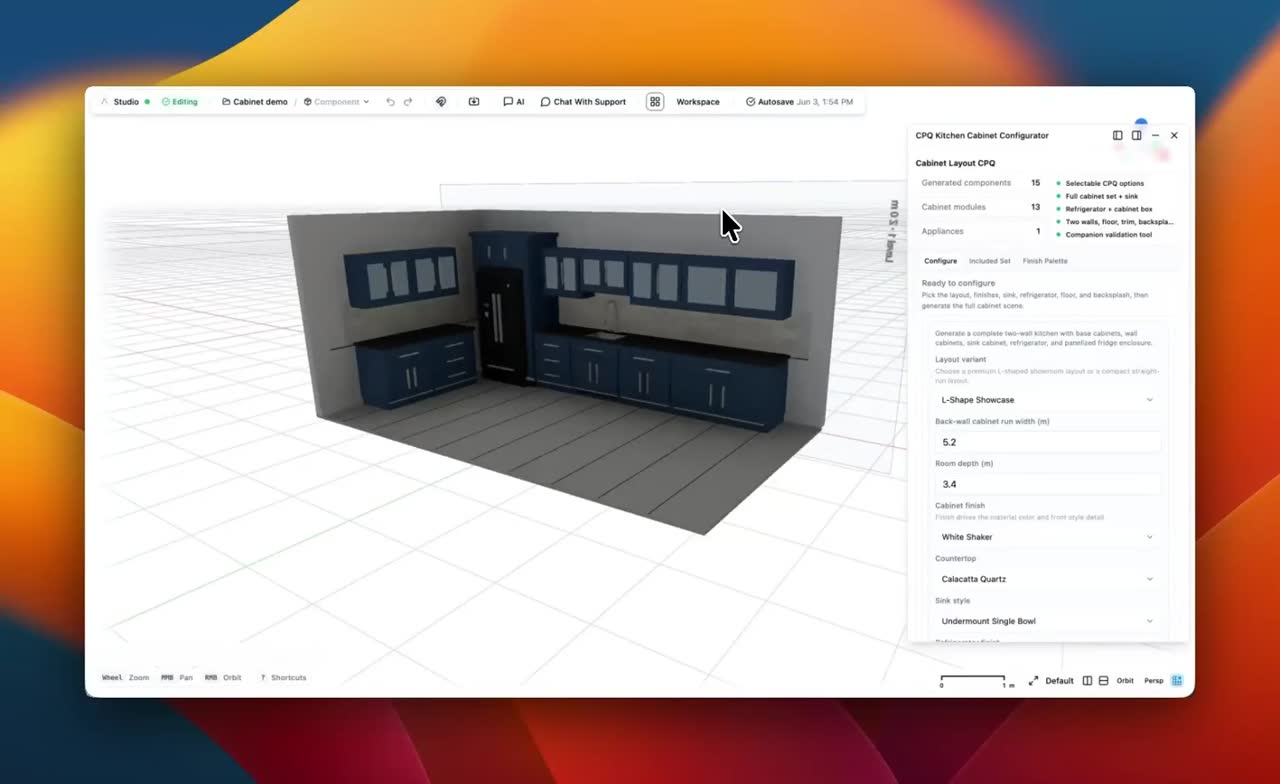
Kitchen cabinet CPQ demo
Watch the configurator set up a kitchen cabinet layout and turn it into a guided CPQ experience.
Workflow system
Each workflow combines smart components, AI-assisted recipe generation, deterministic validation, sheet and annotation automation, and exports that fit the tools your team already uses.
Turn base plans, elevations, structural assumptions, room layouts, exterior packages, and lot-specific constraints into guided self-service configuration flows.
Encode option dependencies, exclusions, upgrades, regional standards, community rules, and product-line constraints so buyers and sales teams only select valid combinations.
Connect selections to pricing, BOMs, option summaries, quote-ready outputs, drawing packages, model exports, schedules, and structured handoff data.
The same pattern works across each workflow: define intent, generate the model and documentation, validate the result, and hand it off cleanly.
Bring in base plans, elevations, option matrices, drafting standards, community constraints, pricing data, and the rules your team already uses.
Model plan variants, elevations, structural options, finish packages, dependencies, exclusions, and approval rules as reusable smart components and workflows.
Let sales teams, design teams, or buyers configure homes in a guided 3D flow while pricing, validation, option summaries, and quote data update in real time.
Produce construction-ready drawings, schedules, annotations, model exports, quote packages, and structured handoff data for downstream teams.
Workflow checks are structured and auditable. They help teams find missing information, inconsistent assumptions, and likely issues before sheets, annotations, reports, or model exports move downstream.
End-to-end platform
ArchiLabs runs as a browser-based BIM and design workspace. Teams can import drawings, create structured 3D models, automate sheets and annotations, generate documentation packages, and export data back into Revit, AutoCAD, coordination tools, or custom systems.
The goal is to make repeatable design and documentation logic reusable across projects while still fitting into the BIM and CAD stack your team already has.
More workflows
MEP Workflow System
Automate MEP routing, sizing, coordination, sheets, annotations, schedules, and review workflows with ArchiLabs.
Data Center Workflow System
Plan racks, capacity, power, cooling, and validation workflows for data center projects with ArchiLabs.
Modular Housing Workflow System
Create repeatable modular housing workflows for unit catalogs, module constraints, connection checks, sheets, documentation, and manufacturing handoffs.
Fire Protection Workflow System
Coordinate fire protection workflows for sprinkler layouts, pipe routing, risers, alarm pathways, calculations, schedules, checks, exports, and revision comparison.
Whether you're an MEP firm, modular housing team, production homebuilder, fire protection consultant, critical facility group, or embedding design automation into your platform, we'd love to hear how you want to model, automate, validate, document, and quote.
Talk to the team
Get a walkthrough of the BIM/design workspace tailored to your use case.
Pilot program
We work closely with early design partners. Apply to join.
Technical questions
SDK integration, API access, custom components, pricing rules — ask us anything.